
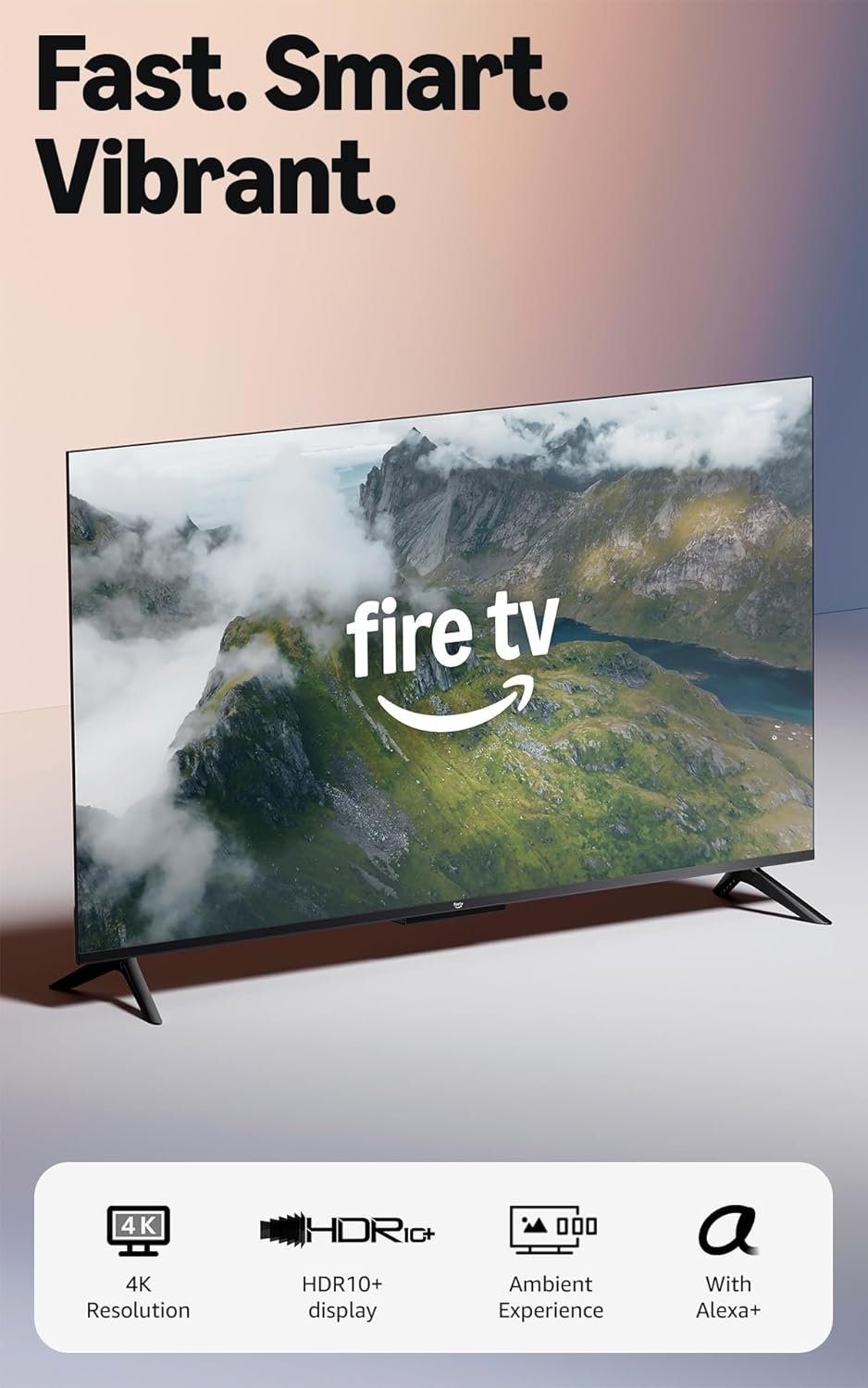
Excellent value for Alexa-integrated households; a smart TV that's actually smart about what budget buyers need.
Amazon Fire TV 55″ 4-Series Review: The Budget 4K Smart TV That’s Redefining Value
3. Product Specifications
| Specification | Details |
|---|---|
| Brand | Amazon |
| Model | Fire TV 4-Series (2024/Newest Model) |
| Screen Size | 55 inches (diagonal) |
| Display Resolution | 4K Ultra HD (3840 x 2160) |
| HDR Support | HDR10+ |
| Processor | Quad-core processor (new generation) |
| Audio | Dolby Audio |
| Connectivity | Wi-Fi 6, Bluetooth |
| HDMI Ports | 4x HDMI inputs |
| Smart Features | Alexa built-in, AirPlay compatible |
| Special Features | Ambient Experience, Omnisense technology, instant-on capability |
| Remote | Alexa Voice Remote Enhanced with preset app buttons |
| Gaming Support | Amazon Luna, Xbox Game Pass compatible |
| Content Access | 1.8+ million movies/TV episodes, 400,000+ free episodes |
| Price (as listed) | $279.97 |
| Warranty | Standard Amazon device warranty (1 year limited) |
What’s in the Box:
- Amazon Fire TV 55″ 4-Series display
- Alexa Voice Remote Enhanced
- 2x AAA batteries
- Power cable
- Quick start guide
- Detachable stand/legs
4. CostEffic Expert Take
Design Philosophy: Amazon’s Calculated Ecosystem Play
Here’s what most shoppers don’t immediately recognize about the Fire TV 4-Series: Amazon isn’t primarily selling you a television—they’re selling you a portal into their ecosystem at a price point that makes the decision almost impulsive. The engineering trade-offs reveal this strategy clearly. By using a VA-type panel (typical in this price range) rather than investing in IPS technology, Amazon keeps manufacturing costs down while still delivering respectable contrast ratios. The quad-core processor upgrade isn’t about competing with flagship smart TV processors; it’s about ensuring the Fire OS experience feels snappy enough that you’ll never consider plugging in a competing streaming device.
The inclusion of Wi-Fi 6 at this price point is genuinely noteworthy. Most budget TVs still ship with Wi-Fi 5, creating buffering frustrations that drive negative reviews. Amazon clearly identified this pain point and invested where it matters most for streaming-first users. However, they notably didn’t invest in local dimming zones or variable refresh rate (VRR) for gaming—a clear signal about who this TV is built for.
Hidden Value Assessment: The Omnisense Advantage
The Ambient Experience powered by Omnisense technology represents perhaps the most undersold feature in Amazon’s entire listing. What users are discovering—and what the marketing barely touches—is that this presence-detection system fundamentally changes how a TV exists in your space. Rather than a black rectangle dominating your room when not in use, the display becomes a rotating art gallery that activates when you enter and powers down when you leave. This isn’t just aesthetic; it’s reducing the “always-on” power draw of traditional smart TVs while making the device feel more intentional and less intrusive.
What the listing oversells slightly is the gaming capability. Yes, Amazon Luna and Xbox Game Pass work, but the input lag characteristics and lack of HDMI 2.1 features mean serious gamers should look elsewhere. The gaming pitch is really about casual, cloud-based play—think party games with phone controllers, not competitive FPS sessions.
Market Context: The $300 Ceiling Breaker
The Fire TV 4-Series exists at a fascinating inflection point in the budget TV market. Historically, the $300-$400 range was dominated by TCL’s Roku TVs and Hisense’s various lines. Amazon’s aggressive pricing—often dipping below $300 during promotions—is forcing competitors to respond. The significance here isn’t just about one TV; it’s about Amazon using hardware as a loss-leader to drive Prime subscriptions, Amazon Music usage, and smart home device integration.
What’s remarkable is that Amazon has achieved this without obvious corner-cutting that screams “cheap.” The 4-series passes the living room test—visitors don’t assume you bought a bargain TV based on aesthetics alone.
The Bottom Line Most Reviewers Miss
Here’s the insight that separates informed buyers from everyone else: The Fire TV 4-Series is essentially a $150 television with $130 worth of Amazon ecosystem integration built in. If you’re already invested in Alexa, Echo devices, Ring cameras, and Prime Video, that integration represents genuine value—you’re getting hardware synergy that would require external devices and setup on competing platforms. But if you’re a Google Home household or prefer the Roku interface, you’re paying a premium for features you’ll actively work around. The value proposition is conditional on your existing tech ecosystem, and no Amazon review will tell you that directly.
5. What Users Are Saying
Positive Experiences
Real-world feedback has been remarkably consistent across platforms, with users frequently surprised by the quality-to-price ratio:
From Amazon Verified Purchase (TechnoJunkie): “I replaced my failing 18 year old Samsung bedroom TV with this Fire TV… I was so pleasantly surprised by the Series 4 Amazon Fire TV. I love the saturated colors, the speed of the OS and I especially love the sound.”
From Amazon Verified Purchase (GigiDrea): “This is the third one I have bought in the last 5 years. I love the clear picture, easy to program, and the motion-activated screen saver is awesome. I will be buying another Amazon Fire TV shortly for my teenager.”
From Reddit r/amazonfiretv discussions: Multiple users have noted the improvement in processor speed compared to previous Fire TV generations, with comments highlighting how the new quad-core chip eliminates the lag that plagued earlier budget models during menu navigation.
Critical Feedback
From Amazon Verified Purchase (Heather, 4 stars): “Only downside is that cable provider is not an app to be used on the tv, and there isn’t a way to add it.” This reflects a common frustration among cord-cutters who haven’t fully transitioned away from traditional cable.
From various tech forums: Users have noted that the Fire TV 4-Series lacks local dimming, meaning dark scenes in movies don’t achieve the inky blacks possible on higher-end sets. Viewing angles have also been cited as a moderate weakness—colors shift noticeably when watching from off-center positions.
From YouTube reviewers: Several tech channels have pointed out that while HDR10+ is supported, the peak brightness isn’t high enough to deliver a truly impactful HDR experience. The TV accepts HDR content but doesn’t transform it the way a $600+ set would.
Common Themes Across Reviews
The overwhelming pattern is value satisfaction—users consistently express that the TV exceeds expectations for its price point. Setup simplicity is mentioned in nearly every positive review, suggesting Amazon has genuinely streamlined the out-of-box experience. The Ambient Experience/art display feature generates more enthusiasm than expected, indicating it’s a genuine differentiator rather than marketing fluff.
Critically, almost no reviews mention reliability issues or early failures, suggesting reasonable quality control. The most frequent complaints center on the ecosystem lock-in (everything pushes toward Amazon services) and audio limitations for users with higher expectations.
6. Day-to-Day Usage Experience
Initial Setup: Refreshingly Simple
Unboxing to watching takes approximately 15-20 minutes for most users. The stand attachment requires no tools—a simple click-in design that even tech-averse family members can handle. The on-screen setup wizard walks through Wi-Fi connection, Amazon account linking, and basic preferences. If you’re an existing Fire TV Stick user, the interface will feel immediately familiar.
Pro tip from real users: Have your streaming service passwords ready before starting. The setup process prompts you to sign into apps sequentially, and interrupting to retrieve passwords extends the process considerably.
Learning Curve
For Amazon ecosystem users: essentially zero learning curve. For newcomers to Fire OS: expect 2-3 days to fully understand the content organization, which prioritizes Amazon content and requires some navigation to reach third-party apps.
The Alexa Voice Remote Enhanced reduces the learning curve significantly. Rather than navigating menus, users can simply say “Play Stranger Things” or “Show me action movies” and let Alexa handle the search across platforms.
Hidden Usage Details
What the manual doesn’t emphasize:
- The Omnisense presence detection has approximately a 10-foot range and may trigger on pets
- Sleep timer and screen brightness can be voice-controlled but aren’t obviously surfaced in menus
- AirPlay requires being on the same Wi-Fi network and occasionally needs TV restart to reconnect
- The TV remembers your last-used input, which can confuse users who switch between streaming and gaming consoles
Long-Term Durability Impressions
Given that the newest model hasn’t been in homes for extended periods, long-term data is limited. However, users upgrading from older Fire TV models report confidence based on previous Amazon TV reliability. The brand has established a reasonable track record in the budget segment, with most durability complaints centered on remote battery consumption rather than display issues.
7. Real-Life Scenarios
Scenario 1: The First-Time Smart TV Owner
Marcus, 34, upgrading from a “dumb” 42″ bedroom TV:
Marcus wanted to eliminate the cable clutter of his streaming stick while getting a larger screen for his bedroom. The Fire TV 4-Series delivered exactly what he needed: a clean single-device solution that replaced his aging Fire Stick and undersized TV simultaneously. The Ambient Experience art feature became an unexpected favorite, turning his bedroom wall into a dynamic gallery rather than a black rectangle. His only learning curve was realizing he could control his bedroom Alexa speaker through the TV interface.
Scenario 2: The Budget-Conscious Family
The Nguyens, family of four, outfitting a finished basement:
Looking for a second household TV that wouldn’t break the bank but could handle family movie nights and the kids’ gaming sessions (casual Nintendo Switch play), the Nguyens found the 4-Series hit a sweet spot. Four HDMI ports meant no unplugging devices to switch between the Switch, Blu-ray player, and soundbar. The only frustration: competitive gamers in the household noticed input lag during faster-paced games, confirming this isn’t a performance gaming display.
Scenario 3: The Smart Home Enthusiast
Dana, 28, with a fully Alexa-integrated apartment:
For Dana, the Fire TV 4-Series became command central. Viewing Ring doorbell feeds on the TV, controlling Philips Hue lights by voice, and seamlessly casting from her Fire tablet created an interconnected experience that justified the choice over competing platforms. The integration depth exceeded what a standard TV plus streaming stick could accomplish. Her one complaint: wishing she could display multiple smart home camera feeds simultaneously.
8. Key Benefits
Problem Solved: The Streaming Device Shuffle
Before: Multiple streaming devices, confusing remotes, inconsistent interfaces.
After: One integrated platform, one remote, unified search across services.
Problem Solved: The “Dead Wall” Aesthetic
Before: 55 inches of black glass dominating the room when off.
After: Rotating artwork that activates with presence and disappears when the room is empty.
Problem Solved: Smart Home Integration Complexity
Before: Separate apps and voice commands for TV, lights, cameras.
After: “Alexa, movie mode” dims lights, launches streaming app, and adjusts TV settings simultaneously.
Long-Term Benefits
- Ecosystem investment: Skills and routines learned transfer to other Amazon devices
- Software updates: Fire OS receives regular updates, extending feature life
- Resale/redeployment value: Compact enough to move to a bedroom when upgrading the living room TV
9. Honest Drawbacks
| Drawback | Severity | Who It Affects |
|---|---|---|
| No local dimming — Dark scenes lack depth, black levels are gray in dark rooms | Moderate | Movie enthusiasts watching in dark environments |
| Limited HDR impact — Peak brightness insufficient for true HDR “pop” | Moderate | Users expecting dramatic HDR visual improvement |
| Ecosystem lock-in — Interface heavily prioritizes Amazon content and services | Moderate | Google Home users, Roku/Apple TV loyalists |
| Gaming limitations — No VRR, HDMI 2.1, or low-latency modes | Major for gamers | Competitive gamers, next-gen console owners |
| Viewing angles — Color washout when watching from side positions | Minor | Large families, wide living room seating arrangements |
| Cable provider app gaps — Some regional cable apps unavailable | Minor | Users who haven’t fully cord-cut |
10. Buyer’s Remorse Risk Analysis
Common Return Reasons
- Gamers who didn’t research input lag — expecting responsive performance for competitive play
- Users expecting premium HDR — coming from OLED or high-end LED displays
- Non-Amazon ecosystem households — frustrated by Alexa-centric interface when preferring Google Assistant
- Dark room viewers — disappointed by black levels compared to store display demos (lit showroom)
Expectation Gaps to Clarify
- “4K” doesn’t mean premium picture quality—it’s a resolution, not a quality tier
- HDR10+ support ≠ dramatic HDR visual impact (brightness matters)
- “Gaming compatible” means “games will play” not “optimized gaming experience”
- Alexa integration is a feature AND a design philosophy—the interface reflects this
User Types Most Likely Disappointed
- Home theater enthusiasts who prioritize picture quality above all else
- Competitive gamers who measure input lag in milliseconds
- Privacy-focused users uncomfortable with always-listening devices
- Users replacing high-end TVs who expect similar performance at lower price
11. Who Is This Product For?
This is a GREAT fit if you are:
- A budget-conscious shopper seeking maximum screen size per dollar
- An Amazon/Alexa household wanting seamless ecosystem integration
- A first-time smart TV buyer prioritizing simplicity over specifications
- A casual viewer whose primary use case is streaming services
- Furnishing a secondary TV (bedroom, guest room, basement)
- A parent seeking a controlled environment with Alexa parental features
This is NOT for you if you are:
- A serious gamer requiring low input lag, VRR, or HDMI 2.1 features
- A home theater enthusiast prioritizing contrast, black levels, and HDR impact
- A Google Home household resistant to Alexa ecosystem
- Viewing primarily in a dark, dedicated media room where black levels matter
- Expecting this to match the performance of TVs 2-3x its price
12. How to Use It (Key Usage Tips)
Unboxing to First Use Journey
- Remove from box carefully — TV panels are fragile; keep upright during transport
- Attach stand legs — No tools required; press firmly until clips engage
- Position TV — Ensure adequate ventilation around all sides
- Connect power — Use included cable; avoid power strips initially for setup
- Follow on-screen prompts — Have WiFi password and Amazon credentials ready
- Complete app logins — Setup will prompt for Netflix, Disney+, etc. passwords
- Calibrate basics — Consider reducing brightness from factory 80 to 50-60 for home use
Essential Tips for Best Experience
- Adjust picture mode immediately — “Standard” mode often oversaturates colors; try “Movie” or “Calibrated” mode for more natural tones
- Connect Alexa devices — Link existing Echo speakers for improved audio or voice control
- Set up voice profiles — Multiple household members get personalized recommendations
- Enable Ambient Experience — Settings → Display → Ambient Experience to activate artwork feature
- Create routines — “Alexa, movie time” can dim lights, close blinds, and launch your preferred app
Precautions
- WiFi requirements — 4K streaming demands consistent 25+ Mbps; 5GHz band recommended
- HDMI cable quality — Use High-Speed HDMI cables for external 4K devices
- Software updates — Allow TV to update overnight; don’t interrupt initial system updates
13. Alternatives to Consider
| Feature | Amazon Fire TV 4-Series 55″ | TCL 55″ S4 Roku TV | Hisense 55″ A6 Series |
|---|---|---|---|
| Price | $279.97 | ~$249.99 | ~$269.99 |
| Smart Platform | Fire OS (Alexa) | Roku OS | Google TV |
| HDR Support | HDR10+ | HDR10 | HDR10, Dolby Vision |
| Voice Assistant | Alexa built-in | Roku Voice, optional Alexa | Google Assistant |
| Processor | Quad-core (new) | Quad-core | Quad-core |
| HDMI Ports | 4 | 4 | 4 |
| Unique Features | Omnisense Ambient Experience | Roku’s mature app library | Dolby Vision support |
| Gaming Features | Luna, Game Pass | Basic | Game Mode Plus |
When to Choose a Competitor
Choose TCL 55″ S4 Roku TV if: You prefer Roku’s interface, want the lowest possible price, and don’t care about ambient display features. Roku’s app library is marginally more comprehensive.
Choose Hisense 55″ A6 Series if: Dolby Vision support matters for your content library, you’re a Google Home household, or you want marginally better gaming features (Game Mode Plus).
Stick with Amazon Fire TV 4-Series if: You’re invested in the Alexa ecosystem, value the Ambient Experience feature, want the newest processor iteration, or prioritize seamless Amazon service integration.
Best Value Assessment
At $279.97, the Fire TV 4-Series offers the strongest ecosystem integration and most polished user experience. TCL undercuts on price; Hisense offers Dolby Vision. The “right” choice depends entirely on which ecosystem you inhabit.
14. Our Final Verdict
Weighted Scoring Breakdown
| Criteria | Weight | Score (0-100) | Weighted Score |
|---|---|---|---|
| Build Quality & Materials | 15% | 72 | 10.8 |
| Value for Money | 20% | 91 | 18.2 |
| Ease of Use | 15% | 89 | 13.4 |
| Real User Satisfaction | 20% | 86 | 17.2 |
| Feature Set vs Competitors | 15% | 78 | 11.7 |
| Long-term Durability | 10% | 74 | 7.4 |
| Expert Review Consensus | 5% | 79 | 4.0 |
Total Weighted Score: 82.7/100
Final Assessment
The Amazon Fire TV 55″ 4-Series delivers exactly what budget-conscious, ecosystem-invested consumers need: a large, sharp, well-integrated smart TV that prioritizes usability over specification bragging rights. It won’t impress videophiles or satisfy competitive gamers, but for the primary bedroom TV buyer, the family seeking a basement entertainment solution, or the smart home enthusiast wanting a visual command center, it hits a compelling sweet spot. The Omnisense Ambient Experience alone differentiates it from competitors at this price point. If your home already speaks Alexa, this TV speaks back fluently.
Related Articles
This review was researched and written by the CostEffic editorial team. We analyze real user experiences, technical specifications, and market positioning to help you make confident purchasing decisions. For current pricing and availability, check Amazon directly.
❓ Frequently Asked Questions
The TV is built around Amazon’s Alexa ecosystem and does not natively support Google Home or Apple HomeKit integration. You can use AirPlay to cast content from Apple devices, but smart home control requires Alexa-compatible devices. If your home is primarily Google-based, consider alternative options.
While the TV works with next-gen consoles, it lacks HDMI 2.1, VRR (Variable Refresh Rate), and dedicated low-latency gaming modes found on gaming-focused displays. Casual gaming is perfectly enjoyable, but competitive gamers who need minimal input lag and advanced features should consider gaming-specific TVs.
Omnisense uses built-in sensors to detect when someone enters the room, automatically displaying curated artwork or personal photos on screen. When the room is empty, the display powers down to save energy. This transforms the TV from a black rectangle into a dynamic art display when not actively watching content.
Absolutely. While Prime unlocks Prime Video content, the TV functions fully without it. You can access Netflix, Hulu, Disney+, YouTube, and over 400,000 free episodes through ad-supported services. The Alexa functionality also works independently of Prime.
The TV includes four HDMI ports, allowing simultaneous connection of a soundbar, gaming console, Blu-ray player, and one additional device without unplugging or using an HDMI switcher.
No, the Fire TV 4-Series supports HDR10+, which is Amazon’s preferred HDR format. Dolby Vision content will display in standard HDR or SDR. If your content library is primarily Dolby Vision (common on Netflix and Disney+), Hisense alternatives may be more suitable.
The Omni Series is Amazon’s premium TV line, featuring hands-free Alexa (far-field microphones), Dolby Vision support, local dimming zones, and higher peak brightness. The 4-Series offers core Fire TV features at a significantly lower price point, with the trade-off being reduced picture performance and no far-field voice control.
Yes, the TV is compatible with standard VESA wall mounts (200mm x 200mm pattern). The included stand legs can be left off during wall installation. Ensure your wall mount is rated for the TV’s weight and screen size.
Yes, the TV includes an ATSC tuner for over-the-air broadcast channels when connected to an antenna. The Fire TV interface integrates these channels alongside streaming content for unified channel surfing.
Software updates are delivered automatically over WiFi. Amazon regularly releases Fire OS updates that add features, improve performance, and patch security vulnerabilities. Updates typically install overnight when the TV isn’t in active use, requiring no user intervention. —
🛒 Related Products
![Anker Cable [2 Pack 3ft], USB A to USB C Cable for iPhone 17 Series,Samsung Galaxy S10 S10+, LG V30,](https://costeffic.com/wp-content/uploads/2026/03/Anker-Cable-2-Pack-3ft-USB-A-to-USB-C-Cable-for-iPhone-17-SeriesSamsung-Galaxy-S10-S10-LG-V30-Beats-Fit-10.jpg)

📚 More Reviews in Electronics
Loading latest posts…